
Notion Mail is a new email client developed for Notion users. However, many teams are based on Google Workspace and would prefer Notion Mail alternatives that don’t require to move their entire workspace to a different platform.
Which means, when looking into different options and platforms, differentiating between built-in, standalone and add-ons is key, along with options that offer multiple tools in your AI inbox.
So if you’re interested in Notion Mail’s AI functionalities and still unsure if it’s the ideal option for your team, keep reading to find out more!
What is Notion Mail?
Notion Mail is an email client designed by Notion, the project management and organization platform. Since it’s known for customization and adaptabilities, the same idea applies to email management, integrating user’s emails with their task management needs.
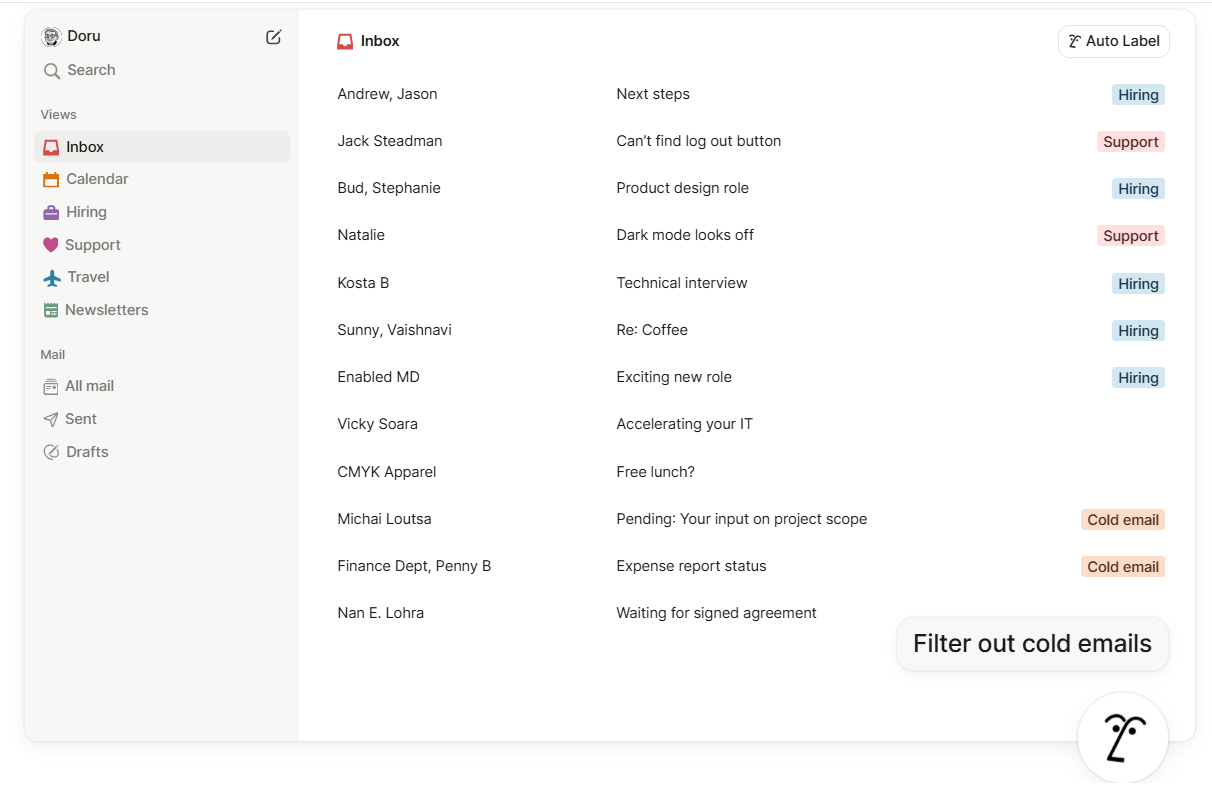
Additionally, Notion Mail includes Notion AI, helping users develop productive workflows within the same ecosystem. By keeping email and project management together, it saves teams time and communication gaps.
To get AI and team features, Notion plans start at $10/member/month.
Which features does Notion Mail include?
Some of the key benefits of Notion Mail are:
- Automatic organization & labeling with Notion AI: You tell Notion Mail which types of emails are important and the platform will auto-label and sort new messages accordingly
- Customizable inbox views and filters: Divide your inbox into custom categories or group emails by domain, sender, label, calendar status and more, so that you can focus on tasks at hand
- AI-assisted email writing: with Notion Mail, you can get automated “snippets” (reusable templates), quick-reply options, and AI-powered writing assistance to draft emails faster

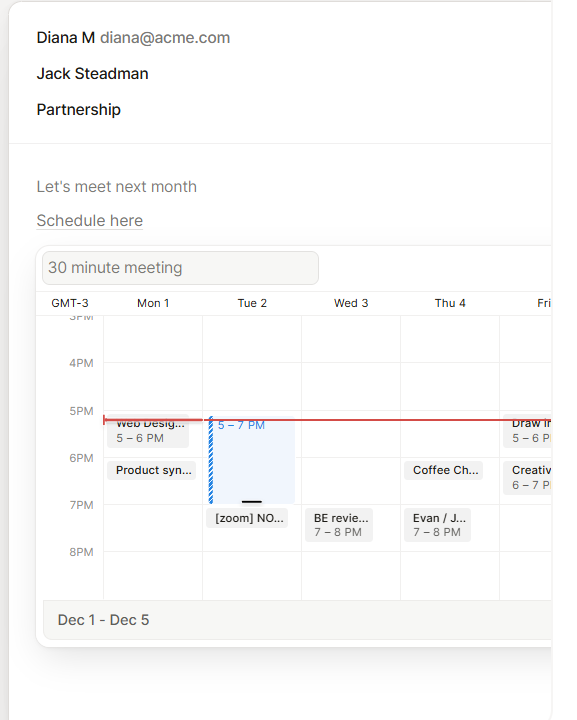
- Scheduling and calendar integration: when suggesting meetings via email, Notion Mail can check your calendar and help schedule it directly


Why do users opt for Notion Mail alternatives?
Because while useful for productivity, Notion Mail is optimized for Notion-based teams. If you rely on multiple platforms for your workflow, such as CRM tools, your team will have to import and export data from one place to another.
Can users choose which AI model to work with in Notion Mail?
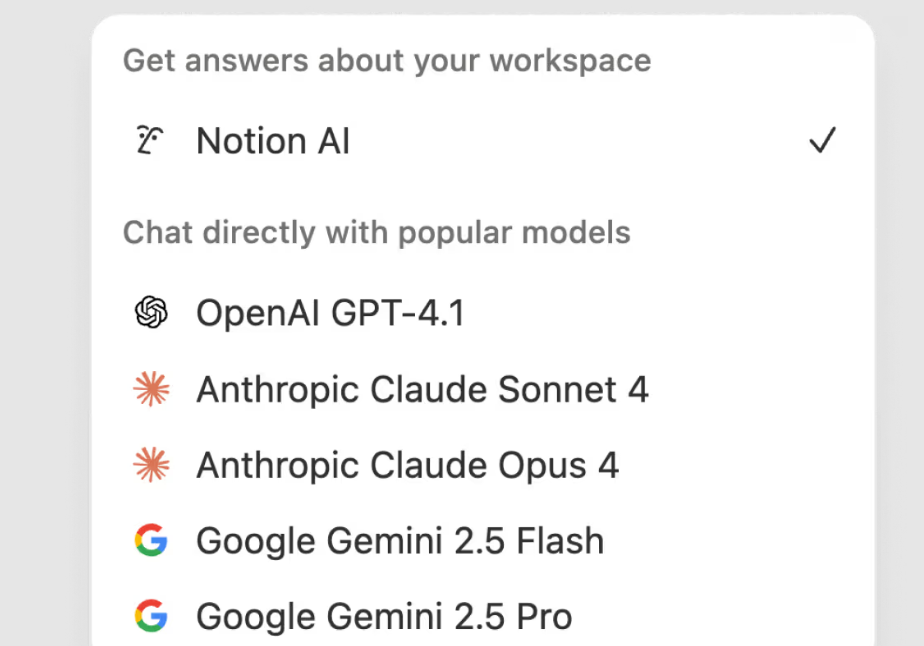
Not fully. While Notion Mail offers the ability to chat with different AI models, like OpenAI, Claude and Gemini, if you want responses and automations within your workspace, you are required to use Notion AI.
Is Notion Mail AI-driven?
Yes, but there are limitations. While it can help users categorize messages in their inbox, there’s still manual setup required, like in standard inboxes. Additionally, Notion is limited in terms of context-aware learning, so drafts aren’t adapted to your specific needs.
Is it better to use Notion Mail alternatives if I use other Gmail add-ons?
Yes. Since Notion Mail brings your Gmail integration to Notion’s dashboard, you love access to other Gmail assistants and extensions you may need to fulfill your workflow. Unless your work is based solely on Notion’s workspace and project management tools, you’re better off looking into Notion Mail alternatives.
Is it possible to manage multiple accounts on Notion Mail?
Only if you create different Notion accounts. Notion doesn’t offer a way to manage different email addresses in the same inbox.
Can I use Gemini as a Notion Mail alternative in Google Workspace?
Technically yes, especially if your team is Gmail-based. With Gemini’s free tier, available to all users, you get AI filters, deep search and writing assistance directly on Gmail:
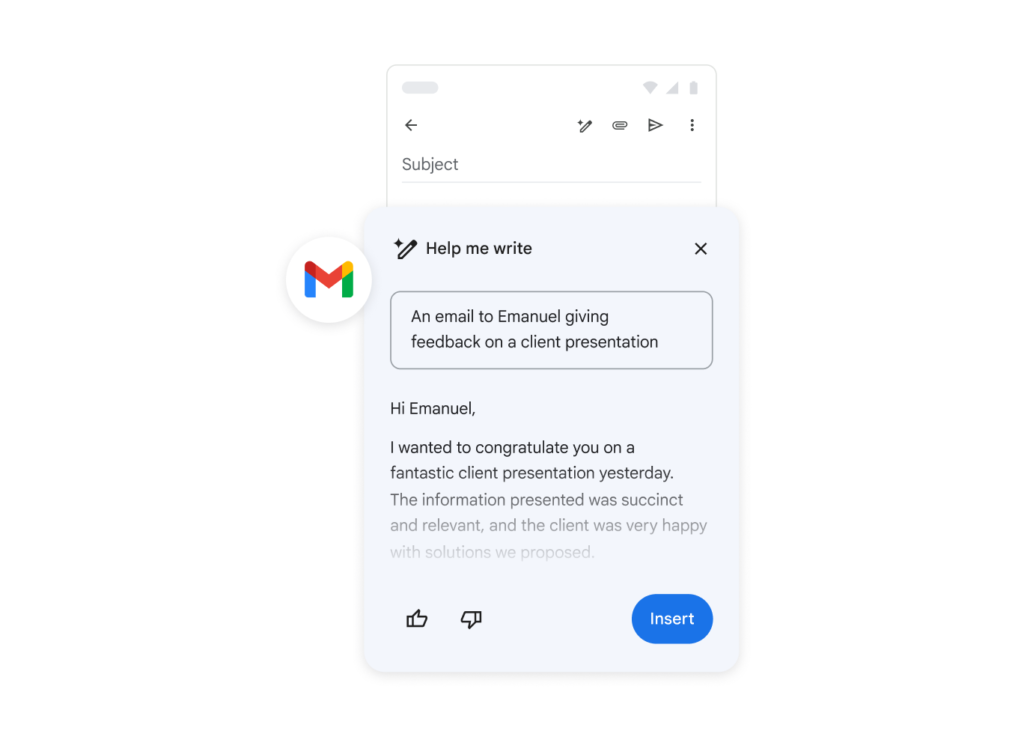
However, if you need team collaboration tools and further AI integration with other tools, like Google Docs and Sheets, a paid Google Workspace account (starts at $14/user/month) is crucial.
What are the benefits and limitations of Gemini in Gmail?
- Pro: ease of use, no need to learn a new platform
- Con: limited context learning and customization
- Pro: works well with other Gmail extensions you need
- Con: doesn’t include built-in task management features
To summarize, Gemini may be a reliable Notion Mail alternative for Google Workspace teams, but other software is still part of your workflow because it isn’t as customizable.
Are AI inboxes good Notion Mail alternatives?
AI inboxes are more robust Notion Mail and Gemini in Gmail alternatives. They are standalone email clients built with AI automation and customization in mind. There are many different options, such as Superhuman AI. They vary in cost depending on subscription tier and team size.
Are AI inboxes practical and effective?
They can be a great method to implement AI-based automations and reduce your repetitive workload. Most AI email clients offer features such as:
- Email triage: use AI rules and machine learning to sort emails by theme and priority
- Instant drafts: get smart reply suggestions based on context and tone
- Auto tagging: sort your email-based tasks according to your workflow
However, since they are standalone options, they don’t work alongside other Gmail add-ons either. It’s worth noting that drafts, filters and archives aren’t synced with Gmail’s native inbox, so if you decide to switch platforms, you’ll need to rebuild your systems from scratch.
Integration and multi-tool inboxes for Notion Mail alternatives
The main challenge with Notion Mail is that it’s limited to its own AI model and lacks integration with other Gmail add-ons.
Most teams require multiple collaboration and productivity apps, including project management, CRM, helpdesk ticketing, etc.
Ideally, a Notion Mail alternative should add AI capabilities to Gmail itself without breaking the access to other features you need. It should also be customizable, to get the benefits of AI automation while adapting to your individual workflow.
What are AI email assistants and can they be Notion Mail alternatives?
AI email assistants, like HeyHelp, are Gmail assistants that transform your standard Gmail inbox into an AI-driven workspace. They can be great Notion Mail alternatives because, unlike standalone apps, they still work within Gmail and alongside other Gmail extensions.
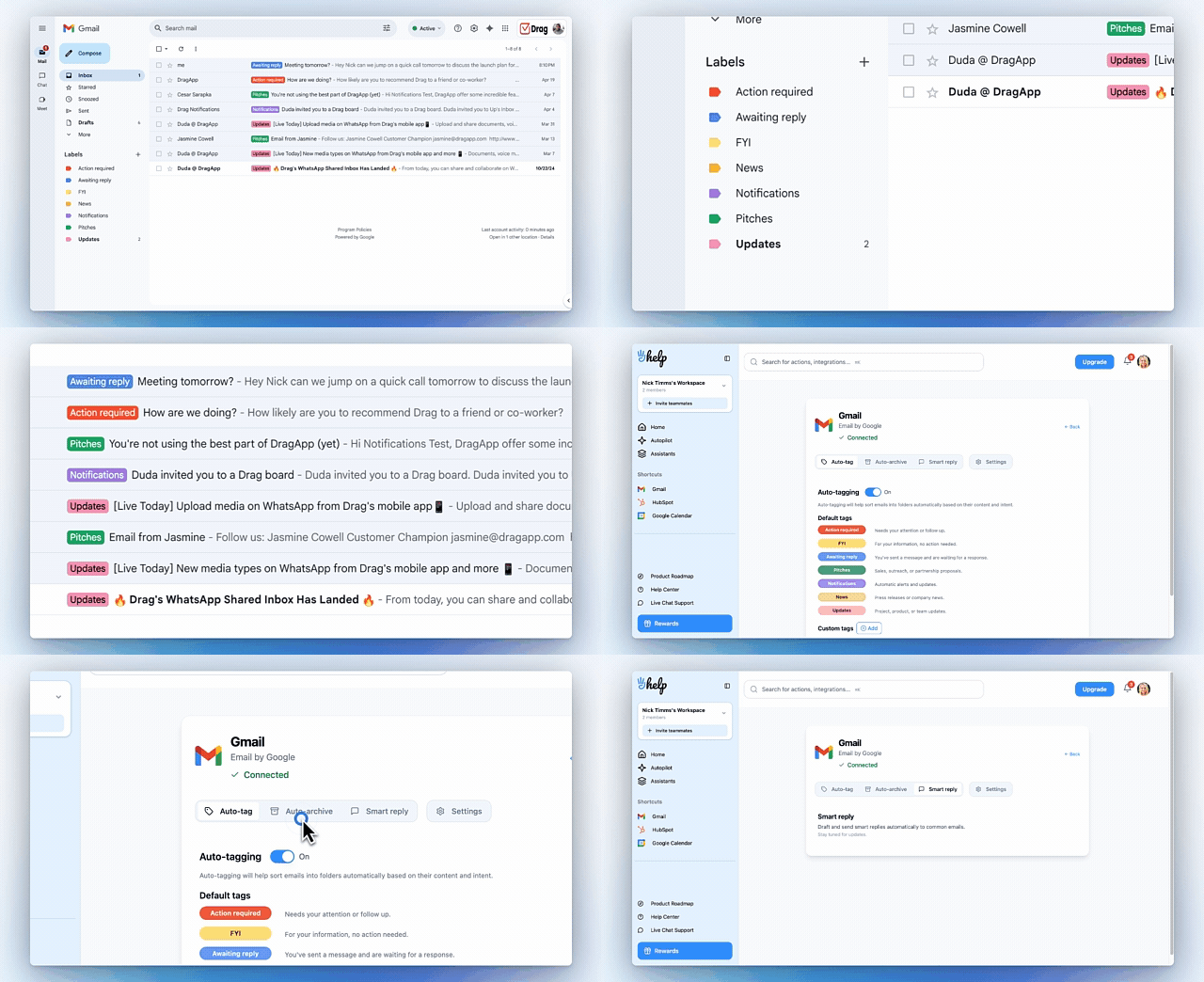
HeyHelp starts at $12/user/month and offers custom plans for teams to fit their requirements.
Which features does HeyHelp include that make it a good Notion Mail alternative?
- AI triage: HeyHelp categorizes and sorts your email for you, no manual setup required
- Context-aware drafts: when you open your messages, there’s a suggested draft waiting for you to review. It’s based on your tone, writing style and inbox history, so that replies sound like you
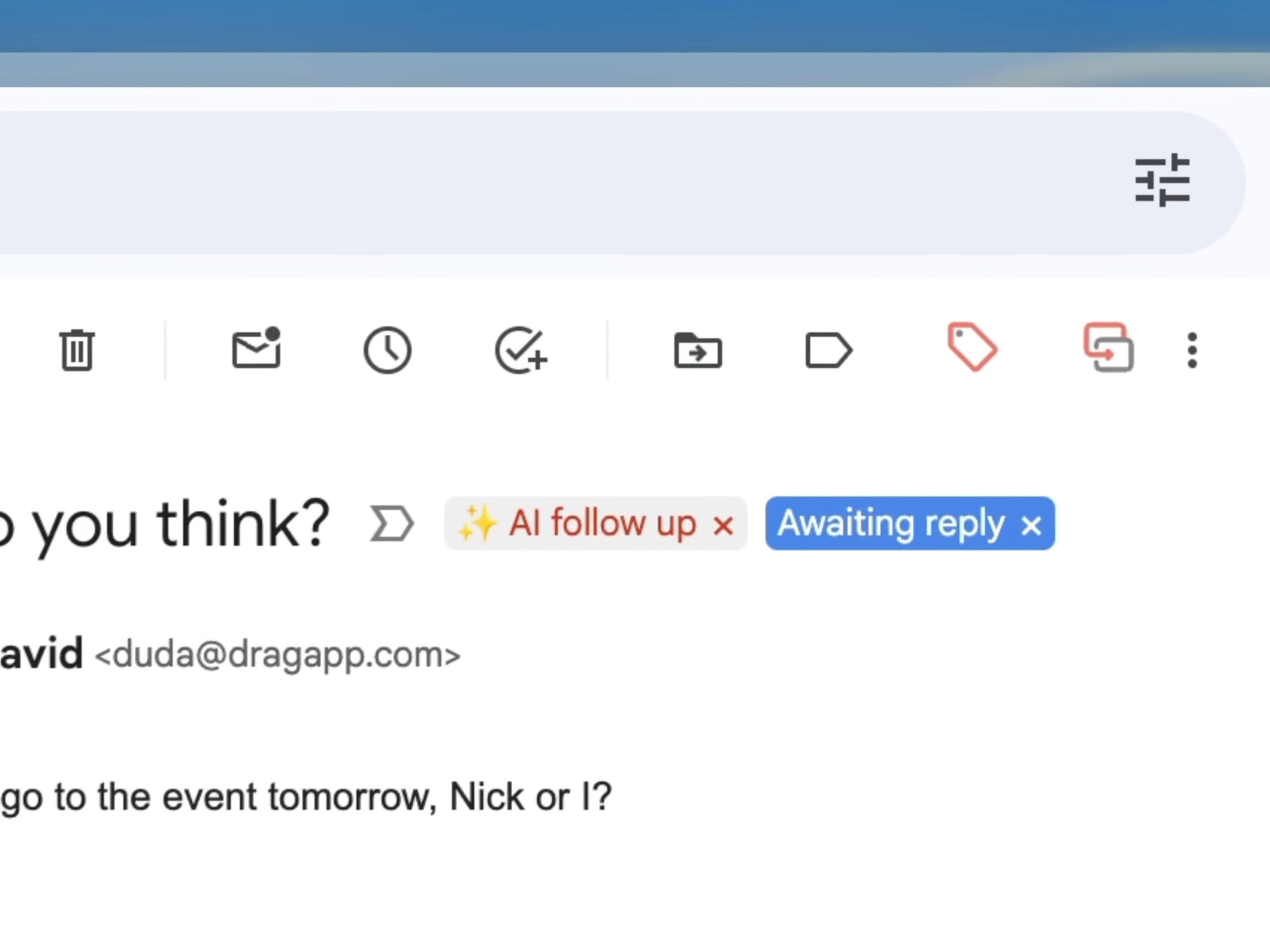
- AI follow-ups: with HeyHelp, you don’t have to manually remember and send follow ups. Keep the conversation flow without repetitive tasks with AI:

- Scheduling and availability: the platform integrates with your calendar and suggests open slot times when scheduling meetings over email
- Shared inbox support: HeyHelp allows teams to collaborate on email-based tasks for multiple accounts, such as support@companyname or sales@companyname
Is HeyHelp a customizable Notion Mail alternative?
Yes, with HeyHelp, users can create a workspace that fits their needs. Here’s why:
- BYOK (Bring Your Own Key): instead of relying on a proprietary AI model, with HeyHelp you can bring in multiple AI API keys and choose which one to use for specific automations and inquiries
- AI self-learning: as you use it, HeyHelp learns your inbox behaviors and patterns, developing more reliable strategies without prompting:
What’s the best alternative to Notion Mail?
| Notion Mail | Gemini in Gmail | Standalone AI Email Clients | AI Email Assistants | |
|---|---|---|---|---|
| Platform | Built-in email client inside Notion | AI features built into Gmail | Separate, standalone AI inbox | Gmail extensions that add AI features (e.g., HeyHelp) |
| Use case | Teams that run fully on Notion and want email added to their workspace | Google Workspace users that need simple AI help | Users wanting a fully AI-optimized inbox with advanced automations | Teams that want AI inside Gmail without losing current add-ons |
| AI resources | Auto-sorting, AI labels, AI drafting, templates, calendar integration | AI filters, inbox search, thread summaries, draft emails | Auto triage, smart replies, ML-based tagging, tone-aware drafts | AI triage, behavior-based learning, context-aware drafts, follow-ups, scheduling |
| AI models | Notion AI | Gemini | Depends on the provider (usually fixed model or limited switching) | BYOK (bring your own key), choose different models per task |
| Gmail add-ons compatibility | No, email is moved into Notion, breaking access to Gmail extensions | Yes, everything stays inside Gmail | No, with a separate inbox there isn’t support for Gmail add-ons | Yes, it’s designed to work alongside other Gmail add-ons |
| Multi-account support | Requires creating separate Notion accounts | Yes, with Google Workspace | Depends on provider | Yes, built for teamwork |
| Integrations | Optimized for Notion only, limited integrations with Zapier | Integrates with Google Workspace tools (Docs, Sheets, Drive) | Limited | Google Workspace and any Gmail add-ons you use regularly |
| Customization | Inbox views and filters, but limited AI personalization | Standard Gmail filters | Highly customizable setups | Custom workflows, AI model choice, self-learning |
| Limitations | Limited to Notion users, requires switching platforms | Basic AI, limited personalization, no task management features | Not compatible with Gmail add-ons, may require rebuilding workflows, drafts/filters don’t sync with Gmail | Works only inside Gmail |
| Pricing | Included with Notion paid subscriptions ($20+user/month) | Free tier available; best features with Google Workspace ($14/user/month) | Around $25–$40/user/month depending on provider | Starts around $12/user/month (HeyHelp) |
What if Notion Mail isn’t the right option for your team?
If Notion Mail doesn’t match the way your team works, it’s probably because it isn’t fully integrated with other tools and platforms you need.
Many team leaders look for Notion Mail alternatives because they require more advanced inbox management, stronger automation, or tools built specifically for customer support and team email collaboration. The good news is that there are reliable options that pair well with Gmail and your existing workflows.
By choosing the right alternative, you can keep the benefits of Notion AI while gaining a more powerful, flexible email experience that fits your daily tasks.
What to know before you look for Notion Mail alternatives
What’s the best Notion Mail alternative for teams that rely on Google Workspace?
The best Notion Mail alternative for Gmail users is typically an AI email assistant that integrates natively with Google Workspace. These tools allow teams to manage emails, tasks, and workflows without leaving Gmail, offering faster organization, better collaboration, and more automation than Notion Mail.
Why do people look for Notion Mail alternatives?
Users search for Notion Mail alternatives because they want features Notion Mail doesn’t offer, like automated triage, shared workflows, AI sorting rules, or high-volume email organization. Teams with customer support, operations, or sales workflows often need more robust email clients.
How do I choose the right Notion Mail alternative for my workflow?
The best choice depends on your needs. If you want faster email organization, look for tools with automation rules and filtering. And if your priority is staying inside Gmail, pick an extension that works directly in your current inbox. Make sure the tool integrates well with your existing apps and offers the features Notion Mail is missing for your use case.
What makes a cost-effective Notion Mail alternative?
When comparing alternatives to Notion Mail, look into:
- Plan tiers: how does it fit your budget and team size?
- Adaptability: can it fulfill multiple steps of your workflow?
- Automation and AI resources: is it really useful to save your time from repetitive tasks?
- Integration: does it work well with Gmail and other platforms you use regularly?
This way, you get the benefits of Notion Mail, like smarter inboxes and automation, without migrating everything into a new workspace or breaking your budget.