
AI models have been adopted pretty quickly into team workflows and processes. But to implement them correctly, it’s crucial to understand when and how to insert AI for work.
With so many tools in the market and different features, it can be hard to prioritize. Whether you’re managing emails, organizing projects, or handling repetitive tasks, AI can help you work faster, collaborate more and stay focused on what matters.
In this article, we’ll break down five practical ways to use AI for work. Keep reading to find out more!
1) How does AI for work make data analysis easier?
AI can be used to make basic data analysis more practical for average users who need information, but previously encountered skill barriers to access it.
According to the study Data Analysis in the Era of Generative AI, the need to dominate data science and coding hindered workers from benefitting from data analysis resources. AI for work counteracts this problem, since:
“LLMs bring new opportunities to mitigate this barrier by supplementing the existing expertise of users with complementary skills.”
Which tasks can AI automate for data analysis work?
- Goal setting: AI helps you define what you’re trying to analyze so you know exactly what to look for
- Data cleanup: AI can pull data from different sources, format it, and remove errors or duplicates
- Pattern recognition: AI tools can point out trends and outliers worth exploring deeper
- Visualization: AI creates charts, tables, and other visual cues for non data analysts to understand the information easily
- Accuracy checks: the platforms can flag potential issues and help validate your findings
- Report generation: create reports, dashboards, and recommendations you can share with your team and customers
How can users implement AI for work in data analysis?
To get the most out of their research papers, market trend analysis and customer data, among other documentation, users can access their preferred AI provider and use its deep research feature to get useful insights into documents.

source: Google Gemini
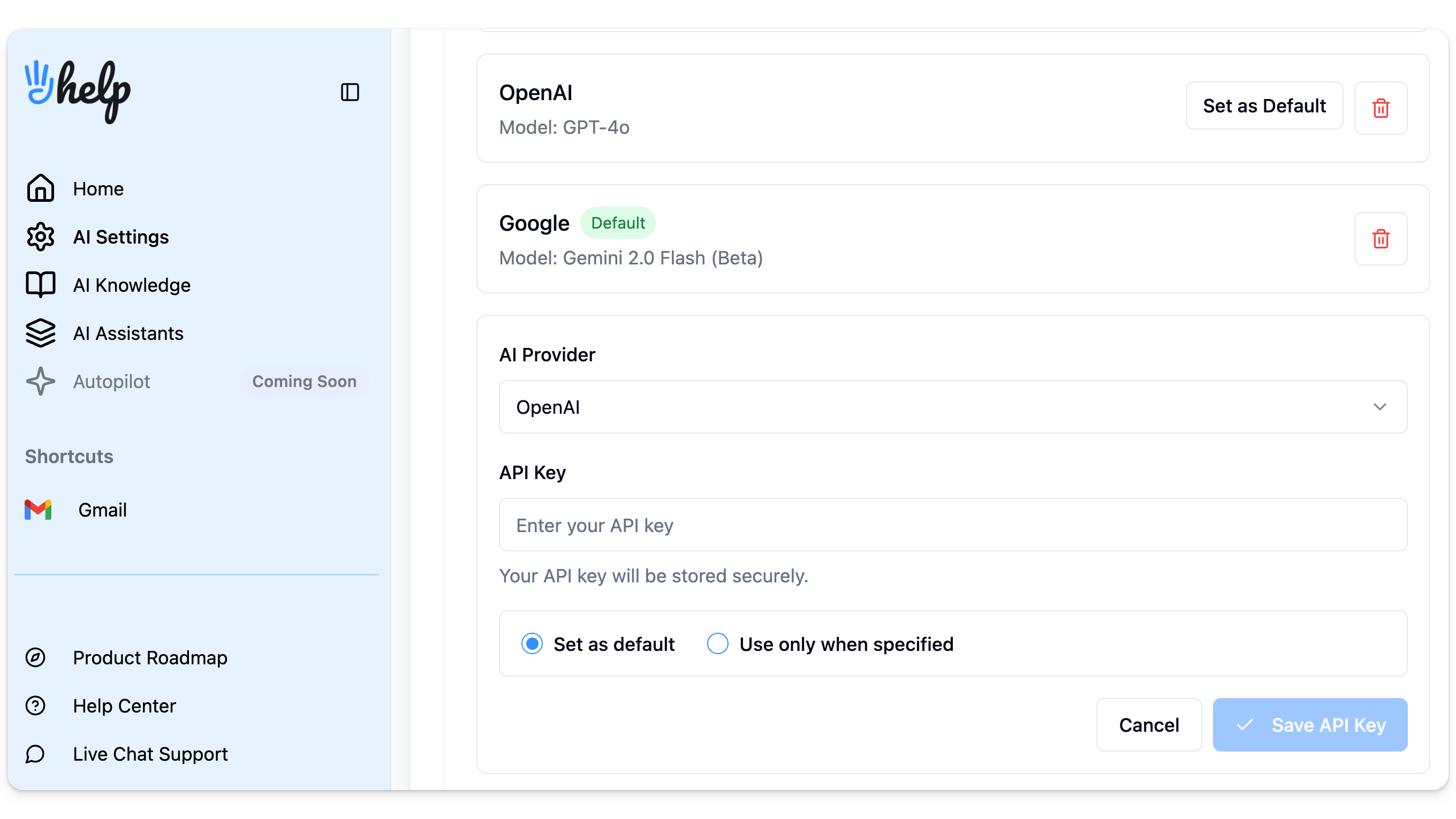
It’s also possible to bring AI data research directly to your inbox by implementing AI email assistants and integrating them to the right AI model via API keys. Then, users can ask the questions and get insights without leaving their email page.
2) Can AI help users build apps or automate development tasks?
Yes, research suggests developers do benefit from AI resources to build better coding projects. In fact, according to an analysis titled The Impact of AI on Developer Productivity: Evidence from GitHub Copilot, having this assistance led to a 55% faster project completion rate.

source: GitHub
However, it’s important to point out that there’s a difference between small, incremental projects and full-on builds. In this case, the paper acknowledges that:
“While AI expands who can contribute and how much they contribute, it slows coordination in collective development efforts. Despite this tension, the combined effect of these two competing forces remains positive, indicating a net gain in overall project-level productivity from using AI pair programmers.”
How can teams balance AI usage and collaboration in long-term tech tasks?
Ideally, by incorporating both AI co-pilot resources, such as GitHub’s, and collaborative platforms such as a team inbox with AI automation.
By using our AI email assistant HeyHelp, for example, teams can stay connected with automated workflows. When a message regarding a collaborative project doesn’t get a reply, the AI will remind you to send a follow-up.

Which tech tasks can benefit the most from AI for work?
- Creating: writing and debugging code
- Database and knowledge building: generating documentation on projects
- Quick coding tasks: building prototypes or small tools faster
3) Is AI helpful for repetitive admin tasks?
Absolutely, AI can transform the way repetitive internal tasks are done. In fact, it already has: Wharton’s Human-AI research group has found that 82% of enterprise-level leaders use AI at least weekly for their workflows.
How do managers use AI for work?
- Standardization: creating templates, checklists, and operation procedure systems
- Documentation: automating repetitive archiving and categorizing important files and databases
- Data: extracting data from PDFs, forms, or emails for decision-making
- Internal communication: drafting and reviewing announcements
⚠️ What you need to know about risks and mitigation when using AI for work
Yes, AI can be a great addition for work tasks. But it’s essential to know the current risks, limitations and what to do about them.
McKinsey’s The State of AI report shows that the three main issues organizations have dealt with and continue to work on in terms of AI implementation are:
- Inaccuracy
- Cybersecurity
- Regulatory compliance
With that in mind, when using a new platform with AI for work, it’s important that companies focus on reliable software with consistent security measures and adherence to laws and regulations.
As for accuracy, it’s key to know that AI models have their biases and data limitations. So yes, they can be helpful for repetitive tasks and basic automation, but not for final decisions, legal matters and steps that involve sensitive company data.
4) Does AI work to break projects into actionable steps?
AI can save users time and effort by automating the most repetitive task management tasks.
Keeping track of ongoing projects, especially among multiple teams and channels, can be time-consuming. Over email, for example, users have to read long email threads, tag conversations with specific filters and labels and then update their task management platform at any changes.
Then, teams have to coordinate project meetings, documentation and updates. It’s hard to scale and grow a company if any change requires a lot of manual repetitive work.
How can teams save time with AI for project management?
- Auto-generating meeting notes: AI captures key points from meetings and turns them into actionable tasks for the whole team
- Scheduling: AI connects with your calendar to set up useful meetings based on conversations and availability
- Turning conversations into tasks or timelines: AI converts messages from your inbox notes into tasks or projects
- Drafting: AI helps create professional, clear documents for planning and approvals
- Step-by-step planning: teams can use AI tagging to sort tasks based on project guidelines
- Prioritization: AI filters and sorting based on priority suggests which tasks need attention first
- Visualization: leaders can benefit from AI creating visual project plans to simplify tracking and collaboration
- Risk flagging: AI identifies potential issues before they affect project progress
- Summaries: using AI to summarize team communication across channels to ensure nothing gets lost
- Task allocation: AI matches tasks to team members based on role, availability, and skills
- Progress monitoring: AI tracks project milestones and generates summaries for managers
Is it possible to bring AI task management to my inbox?
Yes, by using the right tool. Our solution, HeyHelp, is an AI email assistant that can optimize email-based workflows.

It offers:
- AI email triage
- AI follow-ups
- AI scheduling
These are done automatically. Which means your team can categorize and prioritise email tasks accordingly, without the need for prompting or manual rule optimization.
5) What’s the best way to use AI for work in marketing, support, and sales?
Ideally, teams working on customer-facing roles need a method to declutter their inbox while maintaining a good communication with the audience. That’s why AI-powered changes have to focus on both removing the need for repetitive replies and offering smart resources for critical conversations.
Which customer-facing tasks can AI automate?
- Drafting customer support responses: AI generates quick, context-aware replies
- Auto-replies: instantly answer FAQs or let customers know the team is working on their query
- Generating knowledge base guides: AI can create helpful, clear documentation for customers
- Campaign writing: for marketing text, CTAs, and personalized outreach emails based on your brand voice
- CRM: summarizing customer history and identifying sales opportunities
- Automating follow-up reminders and check-ins: AI ensures efficient lead outreach
- Customer feedback analysis: AI scans reviews, surveys, and tickets to highlight trends or issues
- Campaign and support metrics: quick summaries of team milestones to track progress
- Personalized interactions: AI uses templates and custom data points to offer products or services based on customer behavior
- Chatbots: teams can build custom chatbots for their products and services using AI models
Do AI email assistants help with customer-facing work?
Yes, sales, support and marketing teams can benefit a lot from AI email assistants like HeyHelp to fulfill their tasks. Such as:
- AI drafts and compose assistance: get instant AI-based email replies or ask for help editing your writing to ensure your interactions go smoothly
- Sentiment detection: filter messages by emotional cues to understand customer satisfaction and inbox priorities
HeyHelp has a self-learning feature that allows the AI to develop its strategy based on previous email usage.

Self-learning means your emails are categorized better, drafts fit your writing style and inbox history and that AI can identify any potential issues in your workflow much faster.
How do AI email assistants help every step of work?
| Automation needs | AI email assistant benefits | |
|---|---|---|
| Data analysis | Set goals, clean and combine data, find patterns, make visuals, check accuracy, report insights | AI helps turn vague goals into clear questions, clean and merge data, highlight trends, create charts and tables, flag errors, and generate reports |
| Tech development | Write and debug code, build prototypes, document projects, manage teamwork | AI suggests code, helps debug, drafts documentation, and sends reminders or updates for collaborative coding tasks |
| Admin tasks | Create templates for processes, automate documentation, extract data, draft internal updates | AI email assistants can generate templates, automate repetitive tasks, extract info from many sources, and send automatic updates |
| Project management | Optimize meetings, break projects into steps, assign tasks, track progress | AI schedules and summarizes meetings, converts emails into tasks, creates step-by-step plans, suggests priorities, assigns tasks, and sends project updates |
| Sales, Support and Marketing | Draft support replies, auto-respond, create help articles, write marketing content, track campaigns, analyze feedback | AI generates replies, answers FAQs, creates help articles, drafts A/B testing options for marketing segmentation, spots sales opportunities, analyzes feedback, and sends follow-ups with your tone and writing style |
AI for work: key takeaways
AI for work is already transforming how teams manage emails, projects, customer interactions, and repetitive tasks.
Whether it’s analyzing data, supporting development, streamlining admin work, managing projects, or enhancing customer-facing tasks, AI for work helps teams to work smarter, faster, and more collaboratively.
By integrating the right AI tools, like AI email assistants, you can save time, reduce miscommunication, and focus on critical activities that truly move your business forward.
Q&A
Why is AI for work helpful for productivity?
AI for work is helpful because it deals with of repetitive tasks and keeps your team organized. It can handle emails, analyze data, manage projects, and even assist with customer communication. With that, AI frees up time so your team can focus on important decisions and creative tasks.
How can AI for work improve data analysis?
AI for work makes data analysis easier for everyone, not just data experts. It can turn vague goals into clear questions, clean and combine data from different sources, signal patterns, create visuals, check for errors, and generate actionable reports.
Can AI for work help with project management and team collaboration?
Absolutely. AI for work can summarize meetings, break big projects into smaller steps, assign tasks to the right people, track progress, and send automatic reminders. This keeps everyone in the loop and helps teams collaborate without losing time on repetitive updates.
How does AI for work support sales, marketing, and customer support?
AI email assistants can handle customer interactions, draft marketing campaigns, track feedback, and suggest personalized messages. They can also detect sentiment, prioritize messages, and send follow-ups automatically. This helps teams respond faster, improve customer satisfaction, and spot new opportunities.